Product Launch Video Script: A 30-Second Storyboard Template
Copy a 30-second product launch video script template, plan six shots and refine your CTA. Includes a filled example and a blank storyboard.
Start with one outcome
To write a product launch video script, choose one audience, name one useful outcome, show how the product delivers it and finish with one CTA. The script should answer three questions: what is this, what can I do with it and what should I do next? Use one outcome, a small number of factual benefits and one call to action. A 30-second film does not need the whole product roadmap.
This template targets a landscape launch film, not a vertical faceless Short. Use the Opus video Prompt builder to turn the completed script into a production brief. The builder produces text; it does not render your video.
A six-shot, 30-second storyboard
The following example uses FrameNote, a fictional product created for this tutorial. Its features are illustrative, not a customer case or proof of a real service.
| Time | Role | Example on-screen copy | Visual direction |
|---|---|---|---|
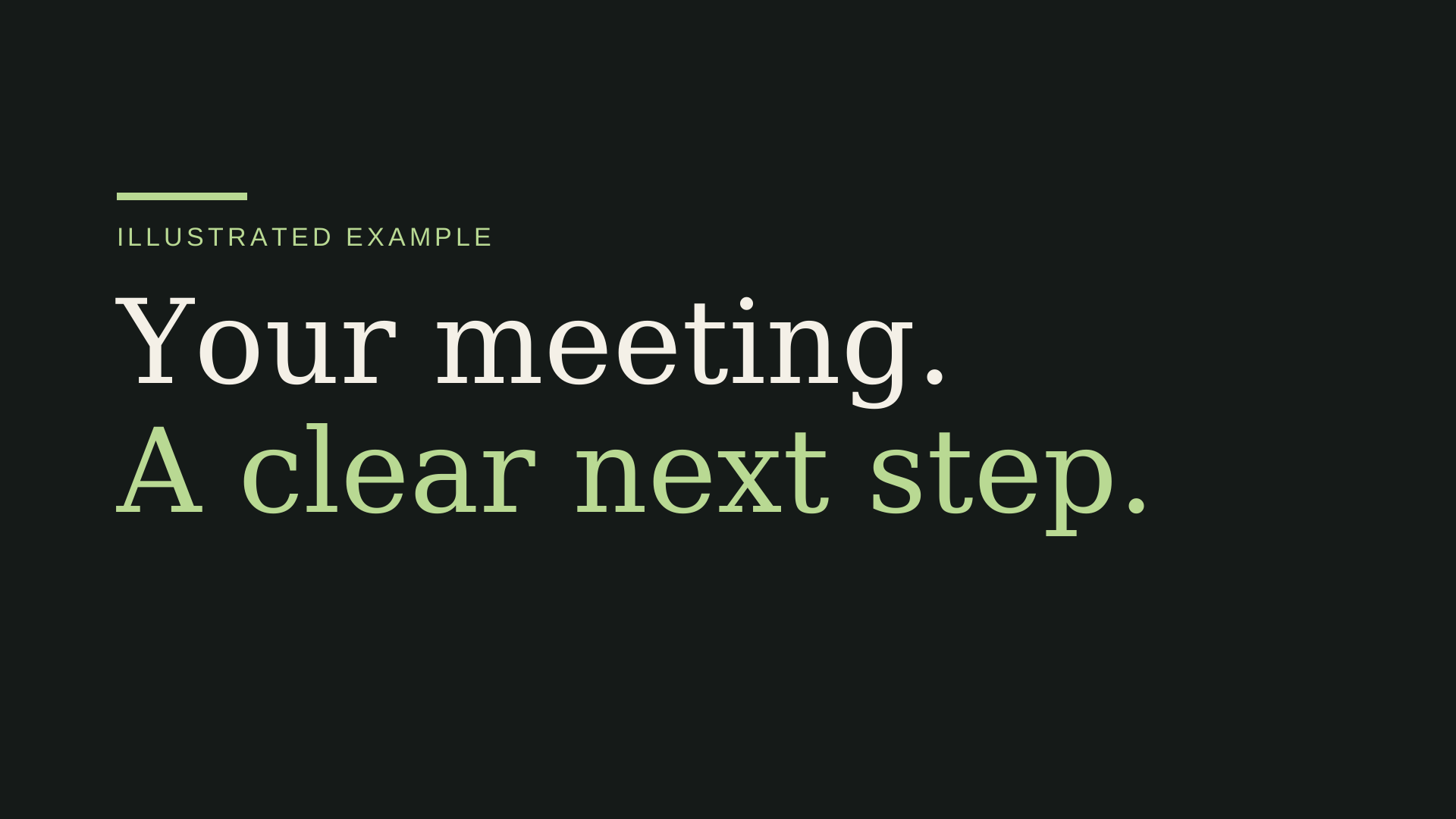
| 0–3s | Useful outcome | Your meeting. A clear next step. | One large statement; let the viewer understand it before moving on. |
| 3–7s | Product reveal | FrameNote. | Reveal the name, then a short statement of value. |
| 7–13s | Mechanism | Notes → decisions → next steps. | A labeled illustration; use real captures when you have them. |
| 13–19s | First benefit | Keep what was decided. | Focus on one idea rather than a list of features. |
| 19–26s | Supporting benefits | Assign the next step. Keep the context. | Change the composition and make each point readable. |
| 26–30s | CTA | Try FrameNote. | Hold a simple end card; avoid new facts in the last second. |
The final four seconds leave room for a readable CTA. Do not use them to introduce a new feature or an unverified statistic.
Copy this blank script
PRODUCT LAUNCH FILM — 30 seconds, 16:9

Product: [Name]
Audience: [Who will recognize this problem?]
Outcome: [One accurate, useful change]
Approved facts: [Up to three benefits]
Approved assets: [Logo, real captures, illustrations you may use]
CTA: [One next step]

0–3s / Hook
On-screen copy: [One clear outcome]
Visual: [A simple way to make that outcome understandable]

3–7s / Reveal
On-screen copy: [Product name + short value statement]
Visual: [Approved brand asset]

7–13s / Mechanism
On-screen copy: [Input → action → output]
Visual: [Real product capture or clearly labeled illustration]

13–19s / Benefit one
On-screen copy: [Specific, accurate benefit]
Visual: [A relevant example]

19–26s / Supporting benefits
On-screen copy: [One or two short points]
Visual: [A different composition, consistent brand]

26–30s / CTA
On-screen copy: [Product name + one next step]
Visual: [Stable end card, readable for at least two seconds]

Sound: [Silent / separately approved and licensed material]
Missing facts: Ask; do not invent UI, numbers or testimonials.
Use your own language in the placeholders. If a workflow step is unknown, leave a question for the product owner rather than guessing. A real capture can show the mechanism; an invented dashboard can misrepresent the product.
Choose the right story
For a product launch, introduce the value before listing features. For a feature launch, identify the specific change, show the new action and give a reason to try it. For a workflow demo, explain the input, action and output in order.
These are the three presets in the Prompt workbench. The structure is a starting point: the facts and visual choices still need review.
A targeted revision example
Suppose the ending says “Try FrameNote,” but you want a more specific next step:
Revise shot 6 only, from 26–30 seconds.
Change the CTA to “Turn your notes into next steps.”
Keep the product name, timing, brand colors and every other shot unchanged.
Hold the complete end card for at least two seconds.
Compare both versions. The request is a constraint, not proof that every unedited frame stayed the same. Keep the previous accepted source and export so you can recover if the revision changes too much.
Before you render
- Does the hook describe an outcome the product actually delivers?
- Are the name, benefits, UI and numbers accurate?
- Do you have rights to the assets and any music?
- Can the text be understood at a small viewing size?
- Does the CTA give one clear next step?
- Is the last frame stable and readable?
Then build the full production Prompt and follow the Claude video tutorial. That tutorial includes an original coded example and a local HTML/CSS-to-MP4 starter. Its verified render path is separate from unverified model-generated output.
More Posts
How to Make a Video with Claude: Code, Render, Export
Learn how to make a video with Claude: build a brief, write HTML/CSS, render an MP4 and revise one shot. Includes a downloadable local starter.

Reddit Story Video Review Checklist
Review Reddit-style story videos for originality, pacing, captions, rights, and manual publishing before exporting a faceless Short.

I Finished a Faceless YouTube Short and Still Wouldn't Publish It
A founder's production lessons from inconsistent visuals, failed timing checks, and building a review-first workflow for faceless YouTube Shorts.
Newsletter
Join the community
Subscribe to our newsletter for the latest news and updates